Feature · Compare
Trends: watch the field move across many runs
One run is a snapshot. Trends reads a series of runs over time and shows how correlations, deficits, entities, and the domains that keep ranking shift across weeks — so you can see direction, not just a single day.
Choose what to track over time
Point Trends at a set of runs for the same keyword and pick the signals to follow — factor correlations, deficits against your strategy, entity usage, or recurring domains. RankGear aligns them by Factor ID across every run so the series is measuring one thing consistently.
How the numbers are produced →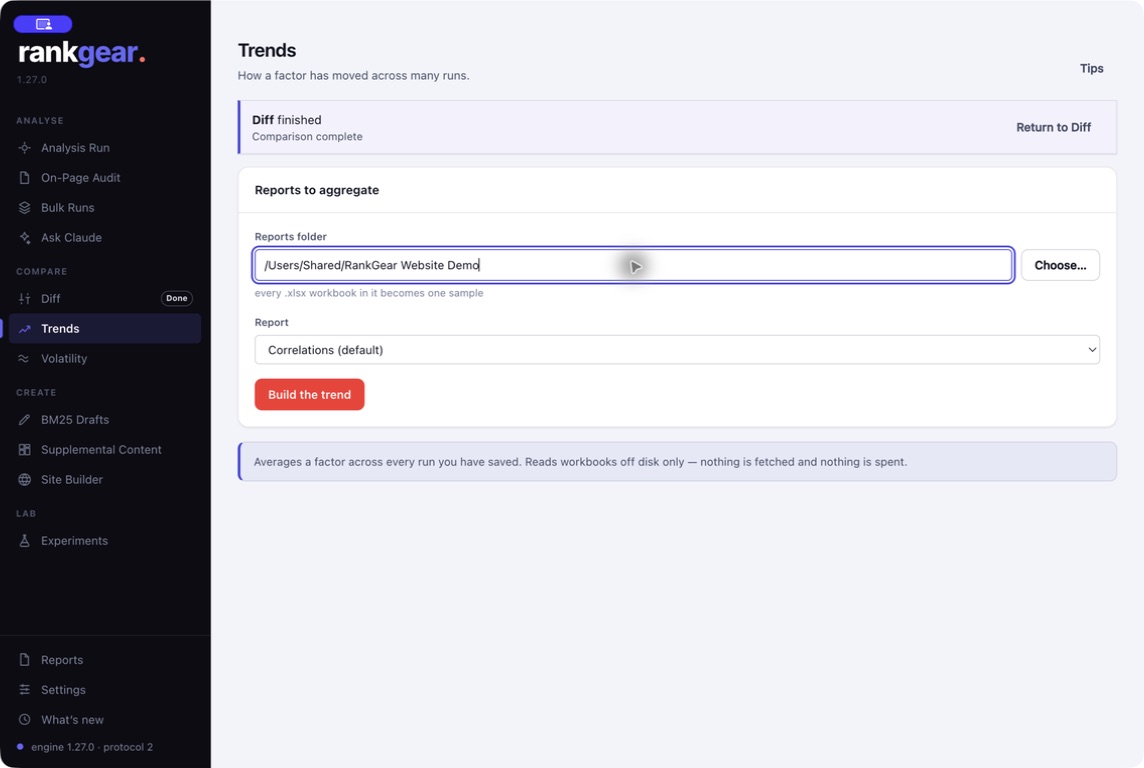
Read direction, benchmarked
The result is a readable table and charts: factor usage and average correlation over the period, maxima, and Page-one benchmarks — so you can tell a genuine shift in the field from week-to-week wobble. Use it to decide where to invest next, and to show a client the trajectory behind a plan.
Where a single-day comparison is what you need, use Diff; to size the field’s natural churn first, run Volatility.
See reports & workbooks →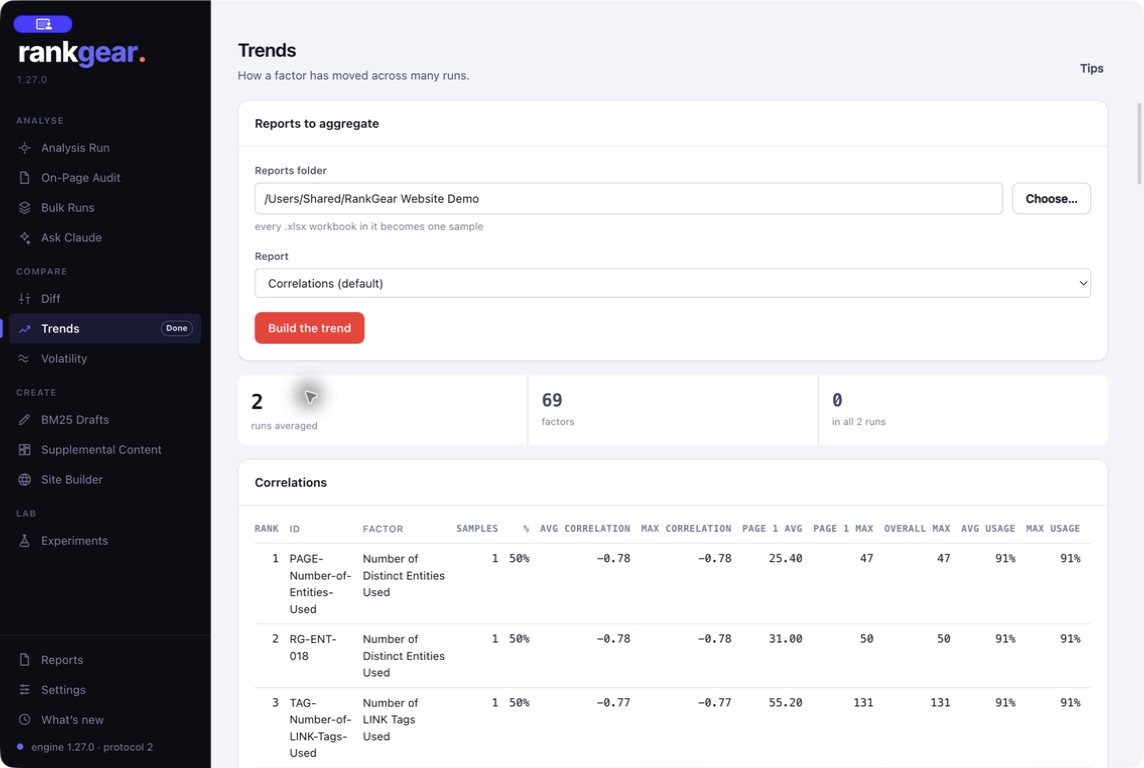
Boundaries
What it is — and isn’t
Trends needs several runs of the same query to be meaningful — the more consistent the setup, the cleaner the series. It describes how measured relationships move over time; it does not forecast a future ranking.
Correlation, not causation. A rising correlation across runs is evidence a factor is tracking position more closely in this field — a reason to prioritize it, not a promise that matching it will rank you.
Questions, answered
How many runs do I need?
Enough of the same query over time to see a direction — a handful is useful, more is better. Keep the keyword, target, depth, and provider consistent across them.
What can Trends track?
Factor correlations, deficits against your chosen strategy, entity usage, and the domains that recur in the field — each aligned by stable Factor ID.
Is this a ranking forecast?
No. Trends shows how measured relationships in the field have moved. It informs where to invest; it does not predict a position.
See where the field is heading.
Keep running the same query and let Trends turn the series into direction you can act on.
macOS 14+ (Apple silicon) · Windows 11 (x64/ARM64) · bring your own provider accounts