
Product Tour
The whole workflow, from a keyword to a decision you can defend
One run measures the field, scores your page against it, and hands you a prioritized plan. The rest of RankGear is built to repeat that, compare it over time, turn it into content, and put it to a controlled test. Here’s the full tour.
The lifecycle
Every run follows the same six stages
Define the field
Choose the keyword, target page, depth (Top 10–100), country, language, device, local setting, provider, and deficit strategy — or paste your own ranked list.
Collect the evidence
RankGear fetches the result set and renders each page, keeping rank alignment even when a page fails, and giving slow pages one longer safety attempt.
Measure the pages
The shared engine calculates the full 870-factor catalogue — keywords, headings, content, entities, structure, schema, media, links, technology, and authority.
Model the field
Spearman and Pearson correlation, competitor usage, distributions, BM25F, and topical coverage describe exactly where your page sits against your chosen target.
Turn evidence into work
You get the optimization score, the Do-This-First fix, a quick-wins list, an ordered roadmap, a work order, and topical gaps — diagnosis wired to execution.
Preserve and compare
Every run writes a timestamped workbook and HTML, so Diff, Trends, and Volatility can turn repeat runs into a provable change story.
Analysis Run — the full competitive workflow
Analyse
This is the heart of RankGear. Feed it a keyword and a page and it fetches the field — Google organic, Google Maps, or a ranked list you paste — identifies your tracked page, measures the full factor catalogue, and calculates correlations and competitor distributions. You leave with the optimization score against the field, the field’s average, the Do-This-First fix, and the roadmap in priority order — every number one click from the evidence behind it.
Explore Analysis Run →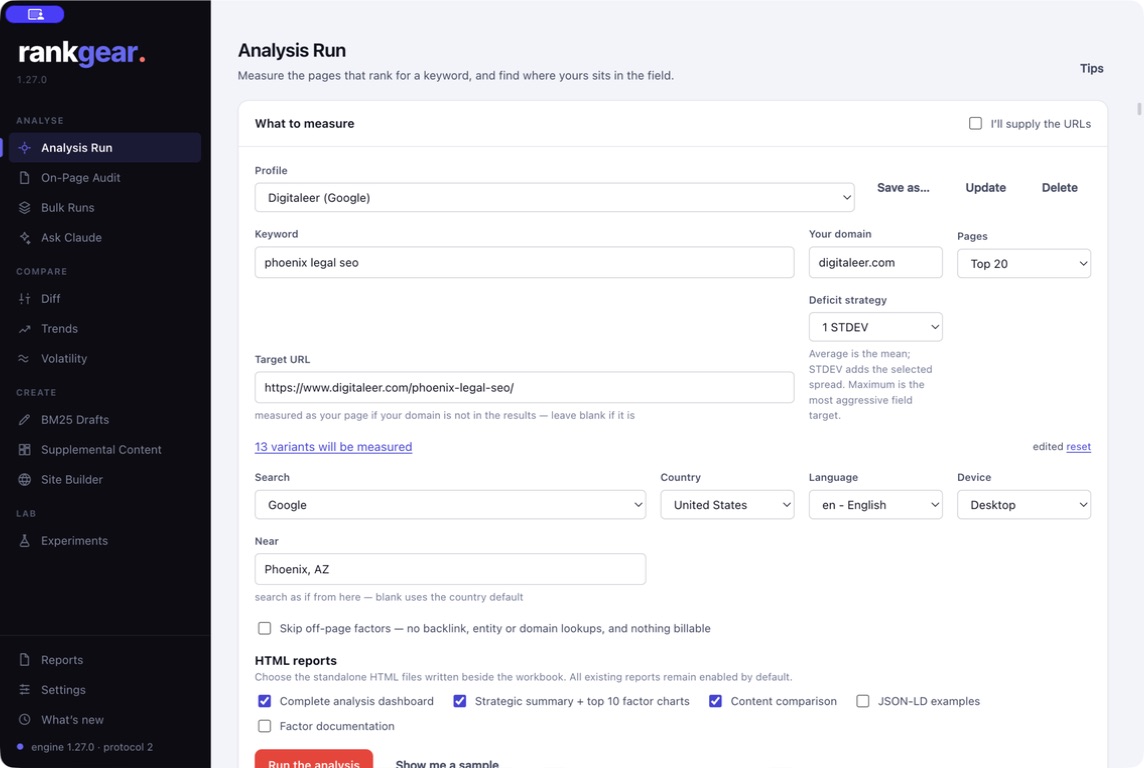
On-Page Audit — one page, answered in about a minute
When you don’t need the full workbook, On-Page Audit runs only the on-page factors against the pages beating you and returns a coverage score out of 100, the highest-impact fix, numbered priorities, and keyword and contextual density. It adds a Z1–Z9 Zone Architecture review — an advisory read of whether the rendered page covers the responsibilities its type is expected to. Fast enough to run live on a client call.
See On-Page Audit →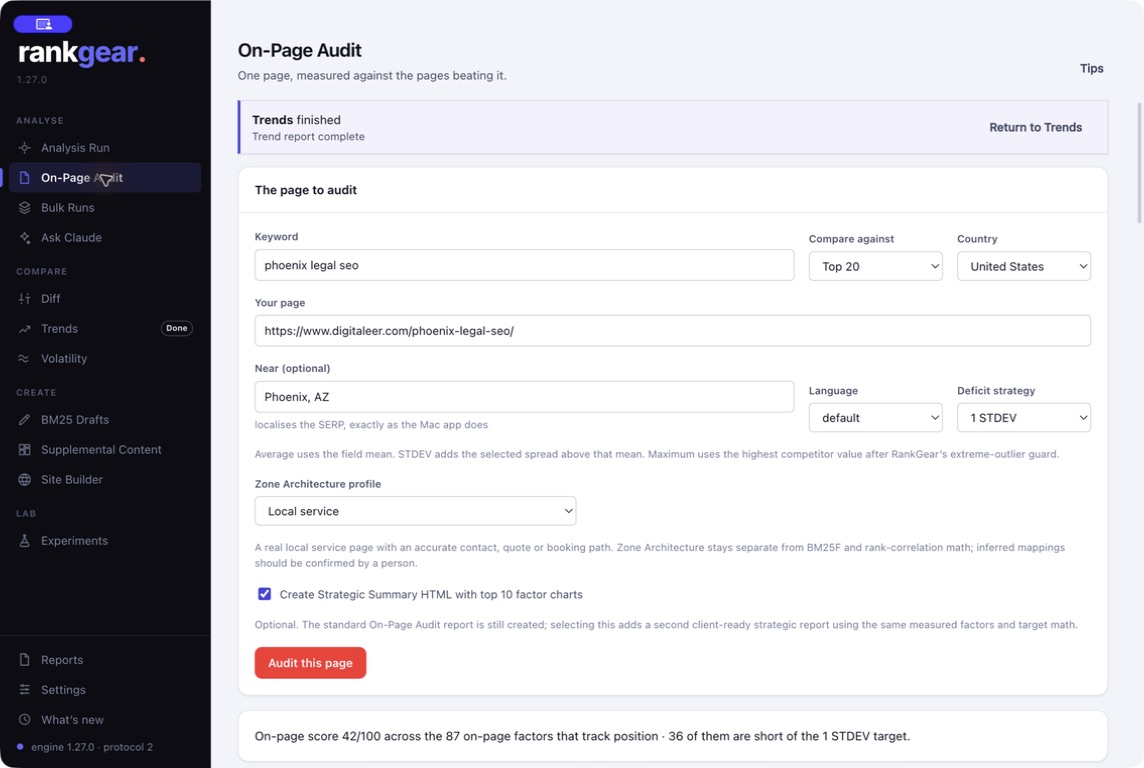
Also in Analyse
Batch, AI interpretation, and local research
Bulk Runs
One keyword and URL per line — with optional city and state. Run quick audits or full analyses across a whole portfolio, with per-row rank and score, an atomic recovery checkpoint, and Resume, so an overnight interruption never repeats paid work.
Ask Claude
Bring the last run or up to ten selected workbooks into a focused AI conversation. RankGear sends bounded, source-labeled extracts — never the raw file — and every answer shows its sources and a token, time, and cost line. Billed to your own AI account.
Local Grid & Maps
Coordinate-based Maps analysis: check the business’s rank at every point across a service area and overlay it on a map, with NF and ERR markers and a full point audit. More on Local SEO →
Compare — separate real change from SERP noise
Compare
Rankings moved — but did your work move them, or did the SERP just shift? Three tools answer that. Diff joins two saved runs by stable Factor ID and shows exactly what changed: factor priority, URL ranks, or optimization progress. Trends reads many runs over time to show how correlations, deficits, and recurring domains move across weeks. Volatility repeats the query five to thirty times to give you a noise baseline before you attribute anything to an edit.
How change is measured →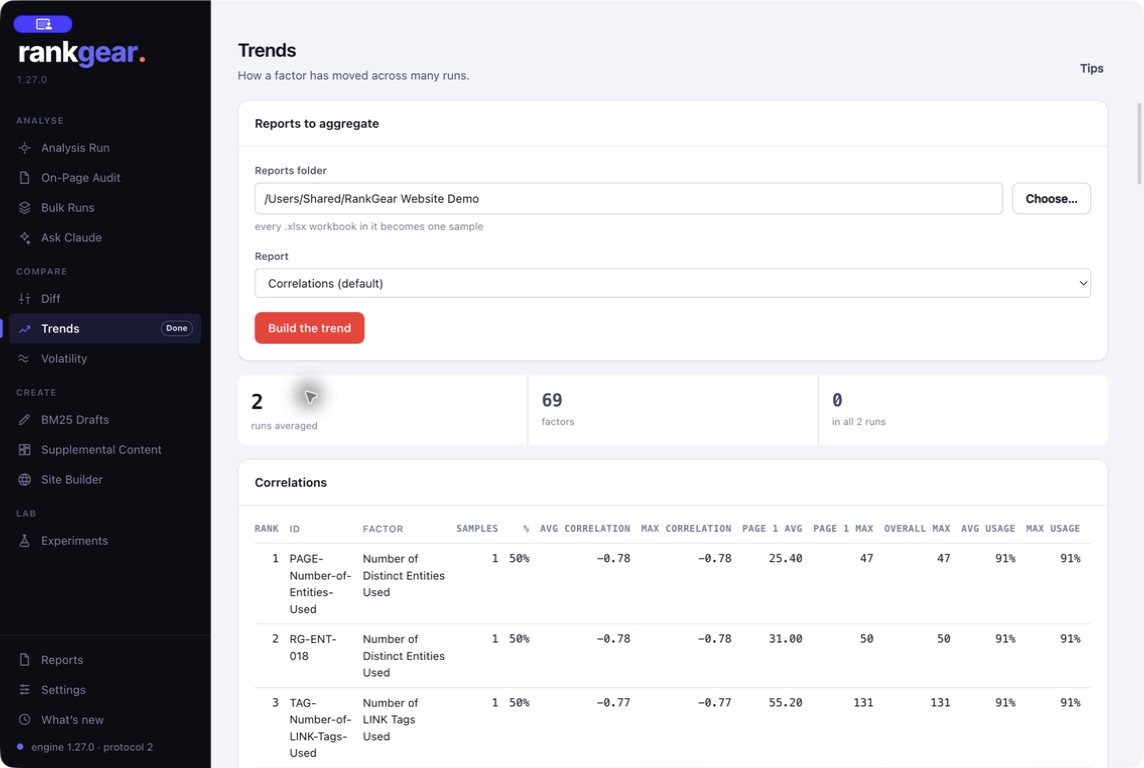
BM25 Drafts — score a draft before you publish
Create
Don’t wait for rank feedback to learn a draft is thin. BM25 Drafts reads your HTML, Markdown, or text, fetches the current field, and reports where the draft’s relevance places within it — with word-count definitions, five densities, unique breadth, and the signal terms it’s missing. Revise on evidence, before it’s a live URL.
See Content Intelligence →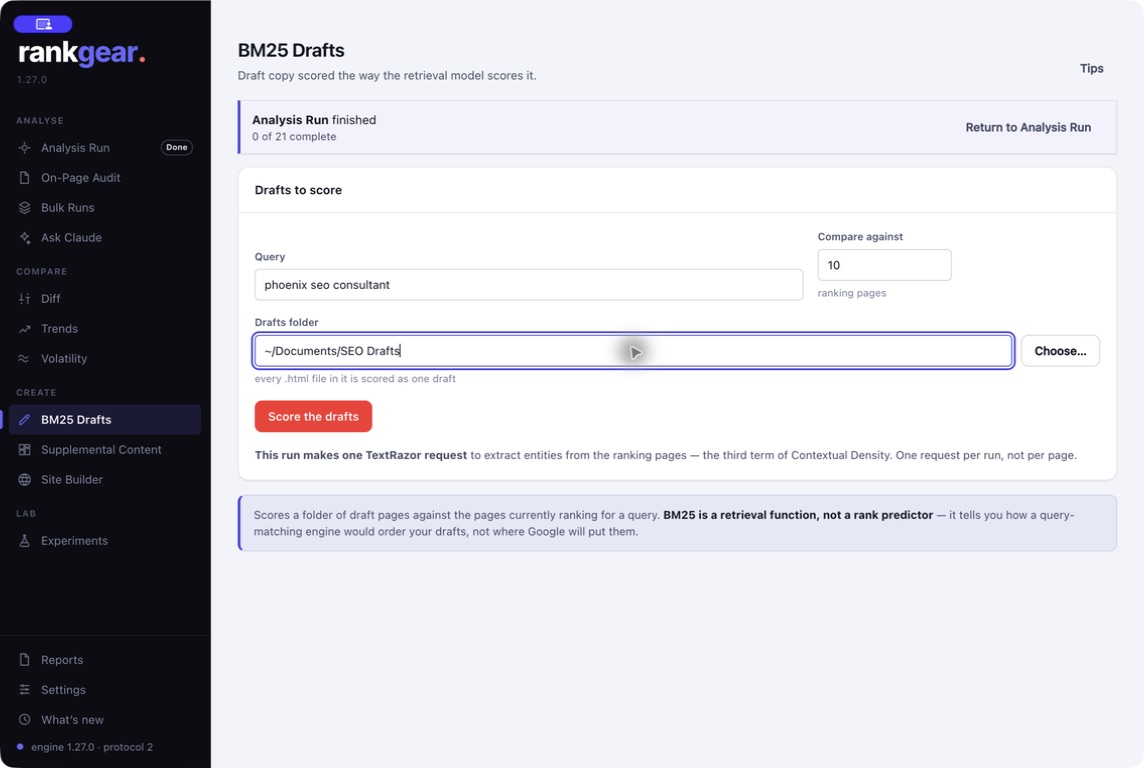
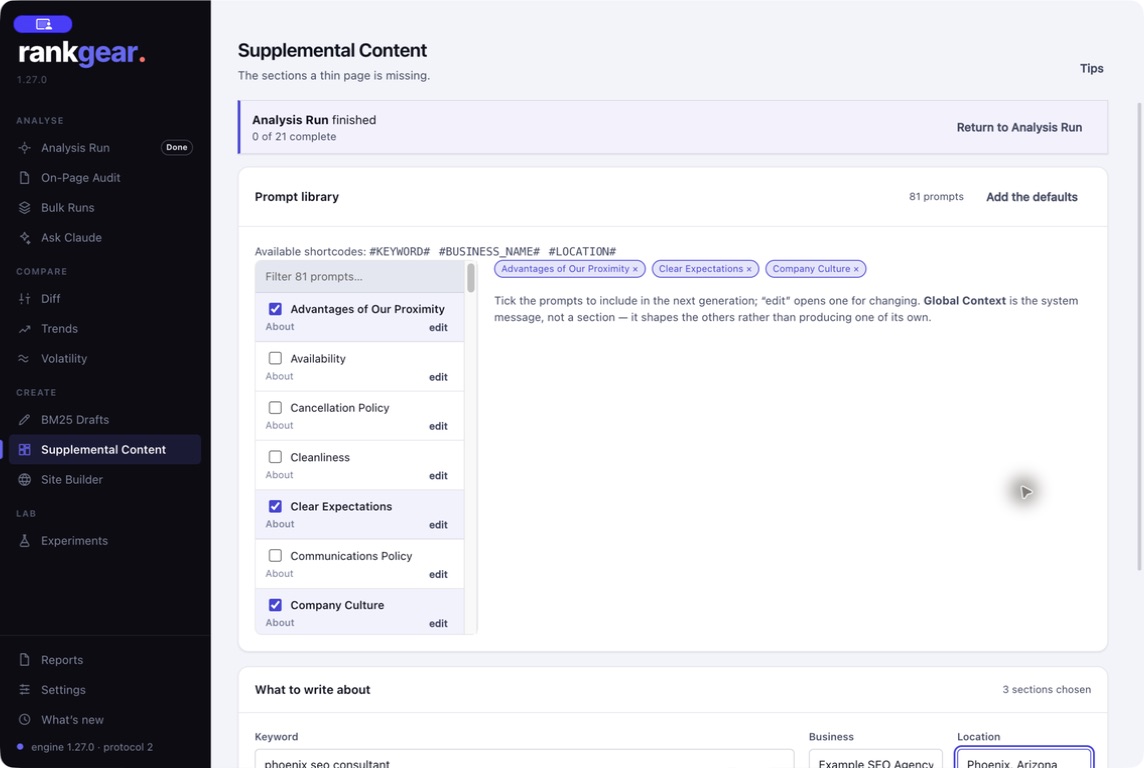
Supplemental Content — evidence-first sections, not filler
81 Nova-designed section prompts, all editable, with live #KEYWORD#, #BUSINESS_NAME#, and #LOCATION# shortcodes. Generate genuinely useful supporting sections — decision frameworks, diagnostics, mechanisms — with your own Claude or OpenAI account, and export as HTML, TXT, Markdown, or PDF. The defaults forbid invented credentials, reviews, statistics, and quotes; everything is built for human review, never auto-published.
Site Builder — turn reports into a branded client portal
Point Site Builder at a folder of RankGear reports and it builds a browsable intelligence hub — an index, a sitemap, and linked report sections — then publishes or updates it directly over FTPS, FTP, SFTP, or SCP. Deliverables become a maintained portal instead of scattered files.
See reports & workbooks →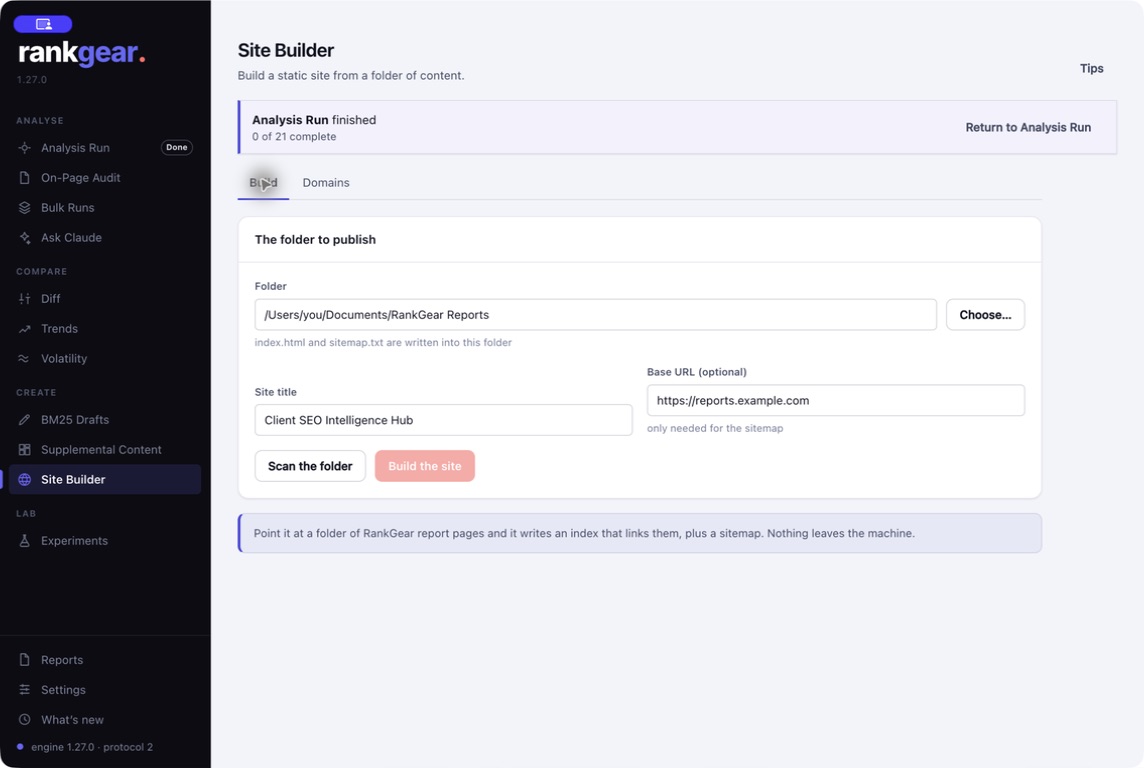
Experiments — controlled tests, one variable at a time
Lab
Move from opinion to evidence. Design a control and single-variable variants, deploy one page per domain from a pool, wait for indexing, and build a live SERP leaderboard. AI Design Help can ideate and critique the methodology on an editable Spec; you review and undo before anything renders. This is the engine behind our testing-results blog.
Read the testing results →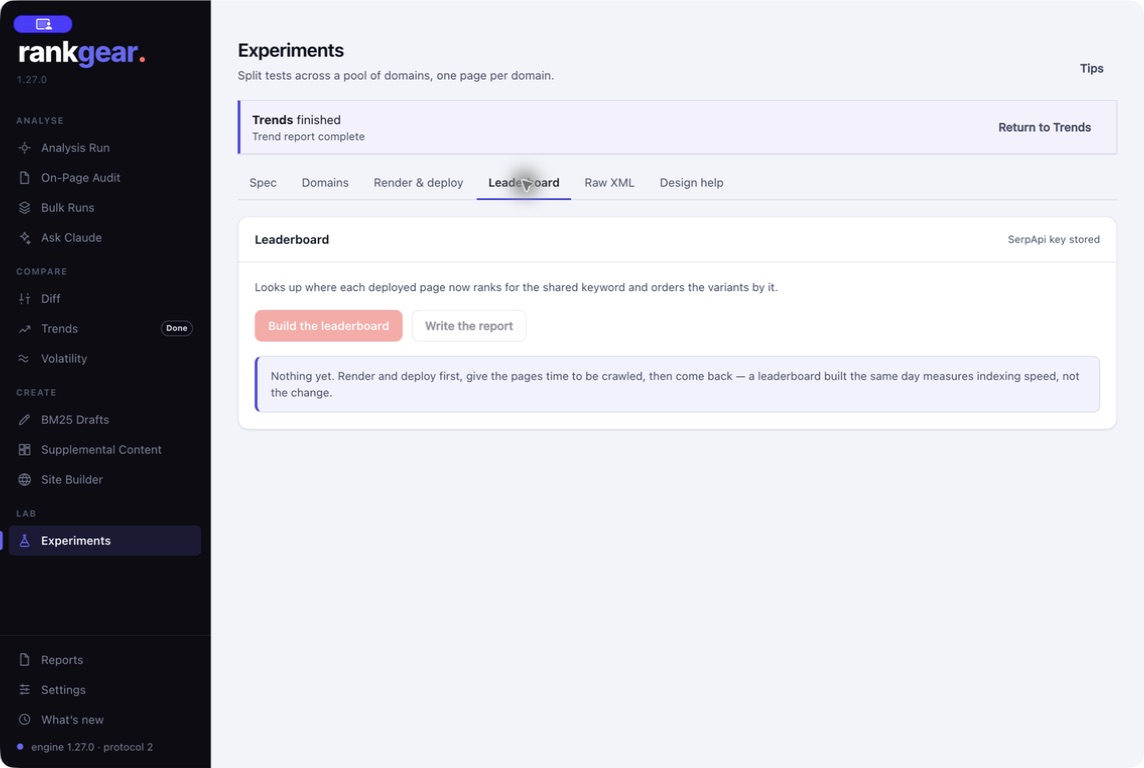
The workbook you keep — RankGear’s deepest artifact
Every full run writes a timestamped XLSX workbook: tabs ordered by your workflow and color-coded by category — orientation, recommended work, competitive analysis, content and entity research, links, and the exact source URLs. It opens on Start Here, and a genuine measured zero shows in red so it never hides in a wide comparison. Alongside it sit the Analysis Summary and an optional Strategic Summary HTML with up to ten factor charts. Filenames carry the domain, keyword, date, and time to the millisecond, so runs never overwrite — and Branding white-labels the header and footer for clients.
See reports & workbooks →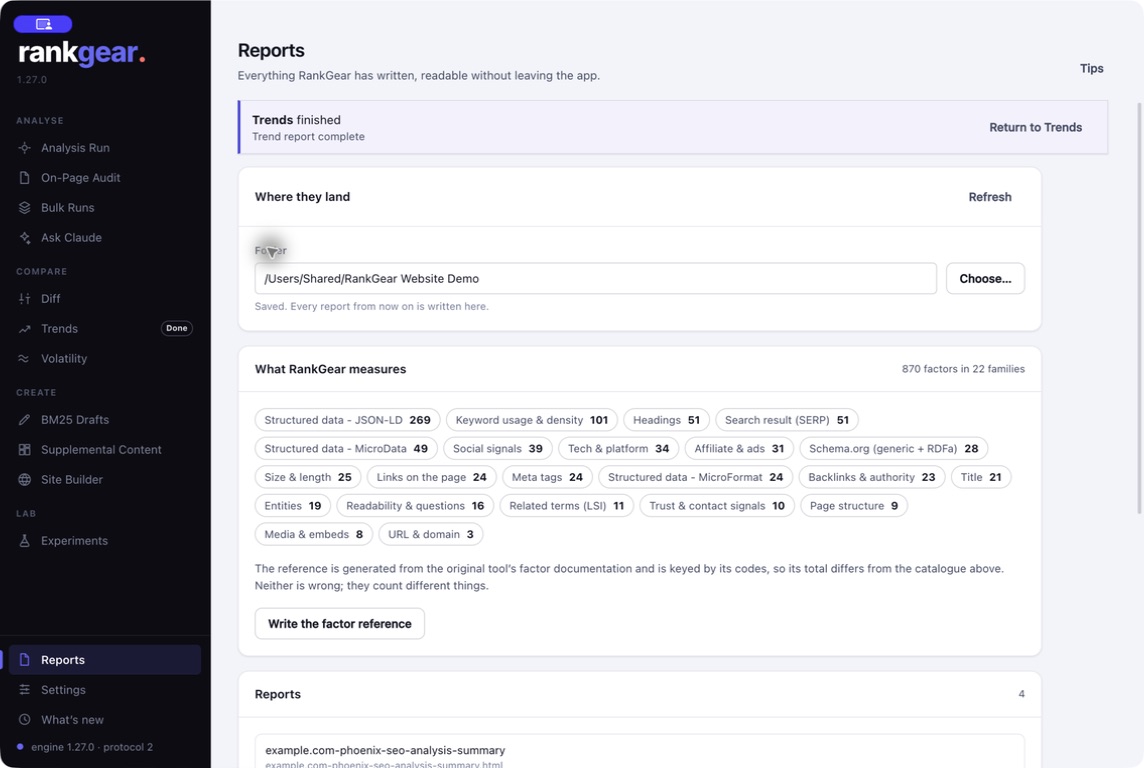
The platform
Built as a desktop app, on purpose
Mac and Windows, one engine
The same Swift analysis and reporting engine on macOS 14+ (Apple silicon) and Windows 11 (x64/ARM64) — measurements and report logic stay identical across platforms.
Your data and keys stay local
Reports are files on your own disk; nothing is uploaded. Provider keys live in a protected local store the interface can only see as present, never read.
Configurable and branded
Tune BM25/BM25F and factor settings, edit the word lists, choose your providers, set your report location, and brand client-facing HTML — all in Settings.
Correlation, not causation. Across every tool, RankGear reports what correlates with position on your field and sequences the work by evidence. It doesn’t promise a ranking, and it never claims a factor causes one.
Questions, answered
Do I need to be an SEO expert to use it?
No. Every report leads with the optimization score and the one fix to do first, in plain language with the number behind it. The depth is there when you want it — open any factor to see its usage across the field, your value, the goal, and the deficit.
What does it cost to run?
The analysis engine runs locally. External data — SERP results, entity extraction, AI — uses your own provider accounts, and the cost is shown before you run it. No hidden metering.
Can I use it with clients?
Yes. White-label the reports, publish a branded report hub with Site Builder, and standardize analysis across a portfolio with Bulk Runs and recovery.
Does it run on Mac and Windows?
Both, on the same shared engine, so results and reports match across platforms.
Will it guarantee rankings?
No — and it will never claim to. RankGear shows what correlates with position on your field and sequences the work by evidence. Correlation is a reason to act, not a promise.
See it on your own keyword.
Install RankGear, connect a provider, and run the whole workflow end to end.
macOS 14+ (Apple silicon) · Windows 11 (x64/ARM64) · bring your own provider accounts