Feature · Compare
Diff: prove exactly what changed between two runs
Rankings moved — but did your work move them? Diff joins two saved runs by stable Factor ID and shows precisely what changed: factor priorities, URL ranks, and how much of the deficit you closed.
Pick two runs, get one change story
Choose a before and an after workbook for the same keyword and target. Diff aligns them by Factor ID and surfaces the differences in three layers:
- Factor priority — which gaps opened, closed, or reordered against your deficit strategy.
- URL ranks — who entered, left, or moved inside the measured field.
- Optimization progress — how much of the supported deficit your page has actually closed.
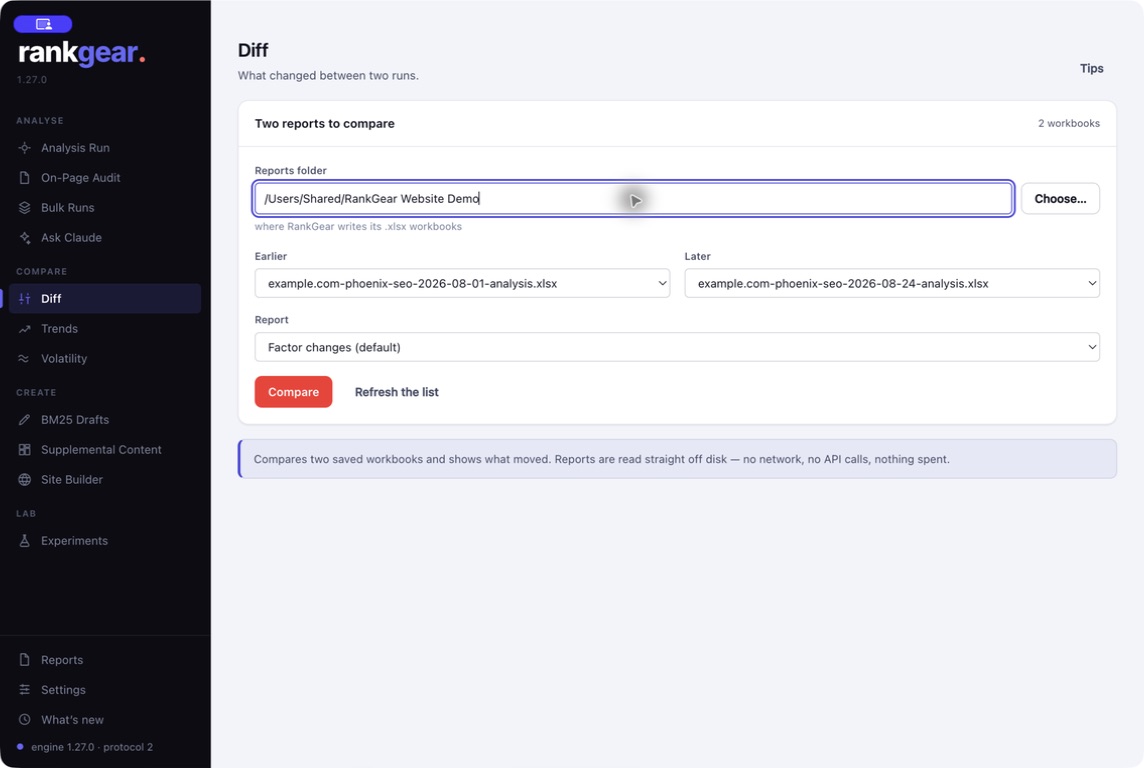
Read the difference, not the noise
The result reads top-down: the factors that changed most, the rank movements in the field, and the net change in your score. It’s the artifact you hand a client to answer “what did this month of work actually do?” — with the exact measurements behind every row.
Pair Diff with Volatility to know whether a rank move is bigger than the SERP’s normal churn, and with Trends to watch the same factors across many runs.
See the reports you get →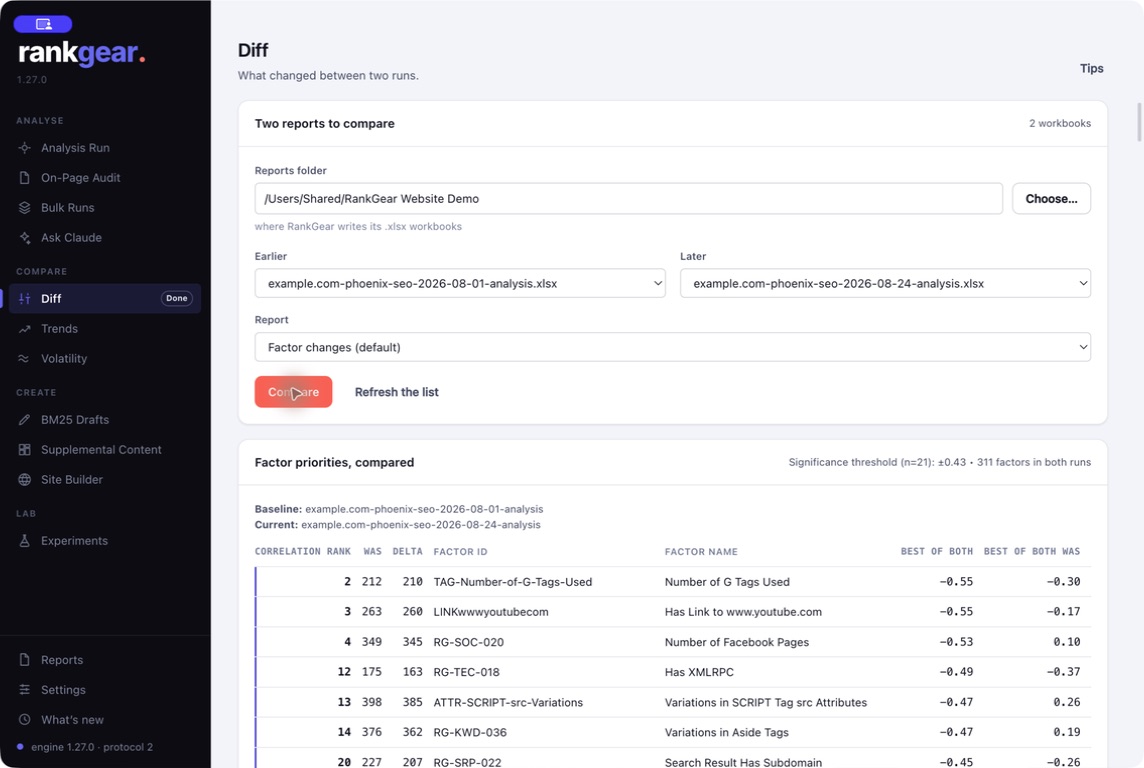
Boundaries
What it is — and isn’t
Diff compares two runs you already have; it doesn’t fetch new data. Compare like with like — the same keyword, target, depth, and provider — or the differences reflect the setup, not your work.
Correlation, not causation. A change in rank between two runs is a measured difference in the field, not proof your edit caused it. Use Volatility to set a noise baseline before you attribute a move to a change.
Questions, answered
What do I need to run a Diff?
Two saved RankGear workbooks for the same query and target — typically the same analysis run before and after a round of work.
How does it line factors up correctly?
Every factor has a stable Factor ID, so Diff compares the same measurement in both runs rather than matching on names or positions that can shift.
Does Diff tell me my edit caused the change?
No. It shows what changed between the two runs. Attribution is your judgment — and Volatility helps by showing how much the SERP moves on its own.
Prove the change.
Run an analysis before and after your work, then Diff the two to show exactly what moved.
macOS 14+ (Apple silicon) · Windows 11 (x64/ARM64) · bring your own provider accounts