
Feature · Create
Outreach Campaigns: a measured brief for every prospect
Cold outreach fails because it says nothing specific. Outreach Campaigns builds one individualized report per ranked prospect — their value, the field’s median, the gap — from measurements you already collected. It never contacts anyone; it gives you something worth sending.
Start from evidence you already paid for
Three sources, no new searching: the retained Analysis Run you just finished, one saved workbook reconstructed into bounded evidence, or a whole folder of workbooks processed as a batch.
Each folder batch generates one independent, atomic campaign per workbook, records success or failure after every attempt and writes a batch index — so a workbook that fails halfway through, or an interruption, never costs you the campaigns that already completed.
See how a run is measured →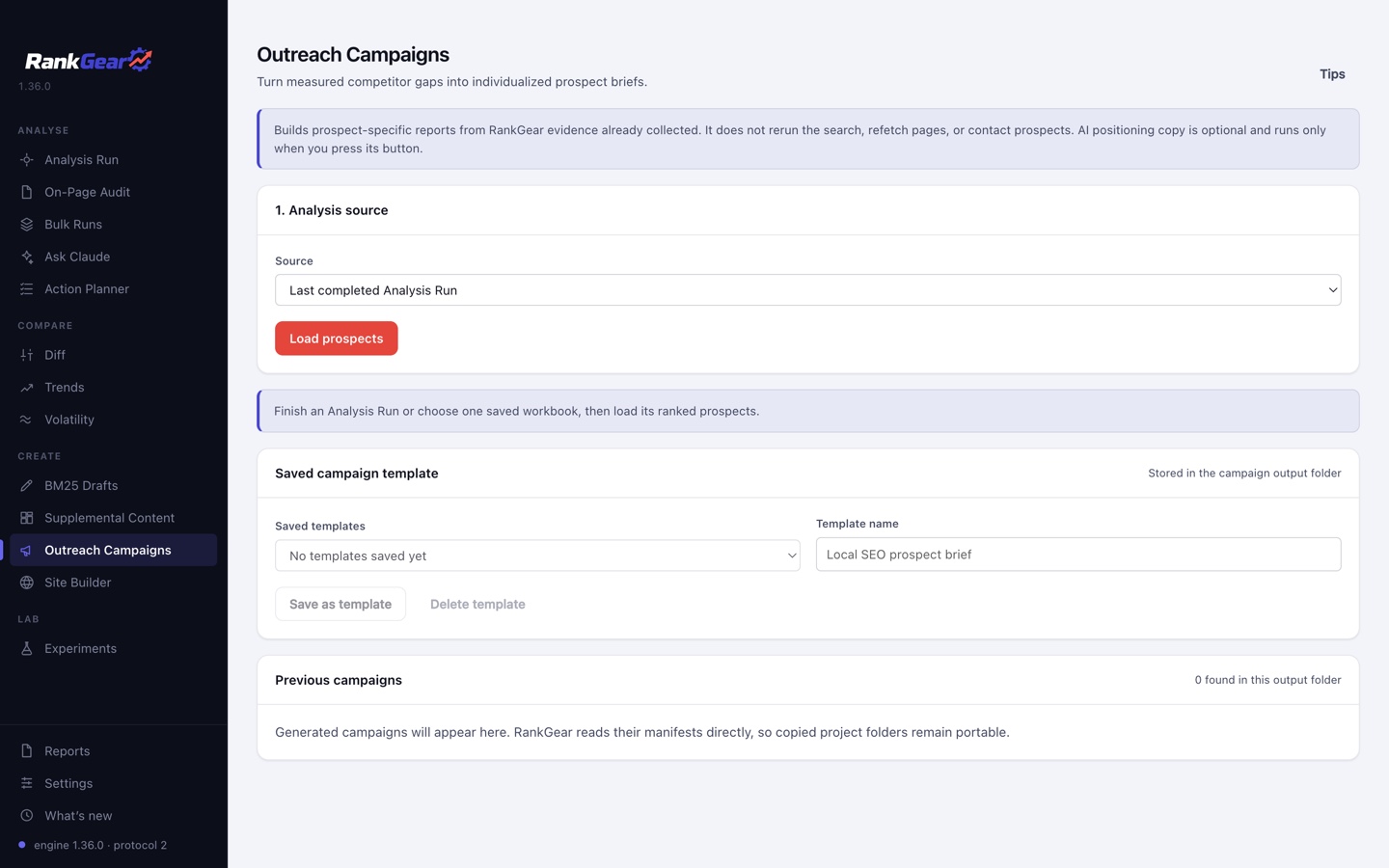
Pick prospects, see the gaps first
Every ranked URL is listed with its rank, domain, title and capture status. The selection defaults to ranks 4–20 and excludes your tracked domain — but nothing is silently hidden, so you can include a row the default skipped.
Choose a factor preset — RankGear Recommended uses every current significant, more-is-better measured factor, while Classic Outreach holds the same current calculations to the legacy Outreach factor IDs. Then preview the Factor gaps for any prospect: their value, the measured-field median, your deficit-strategy goal, the deficit and the correlation, on screen before a single file is written.
What the measurements mean →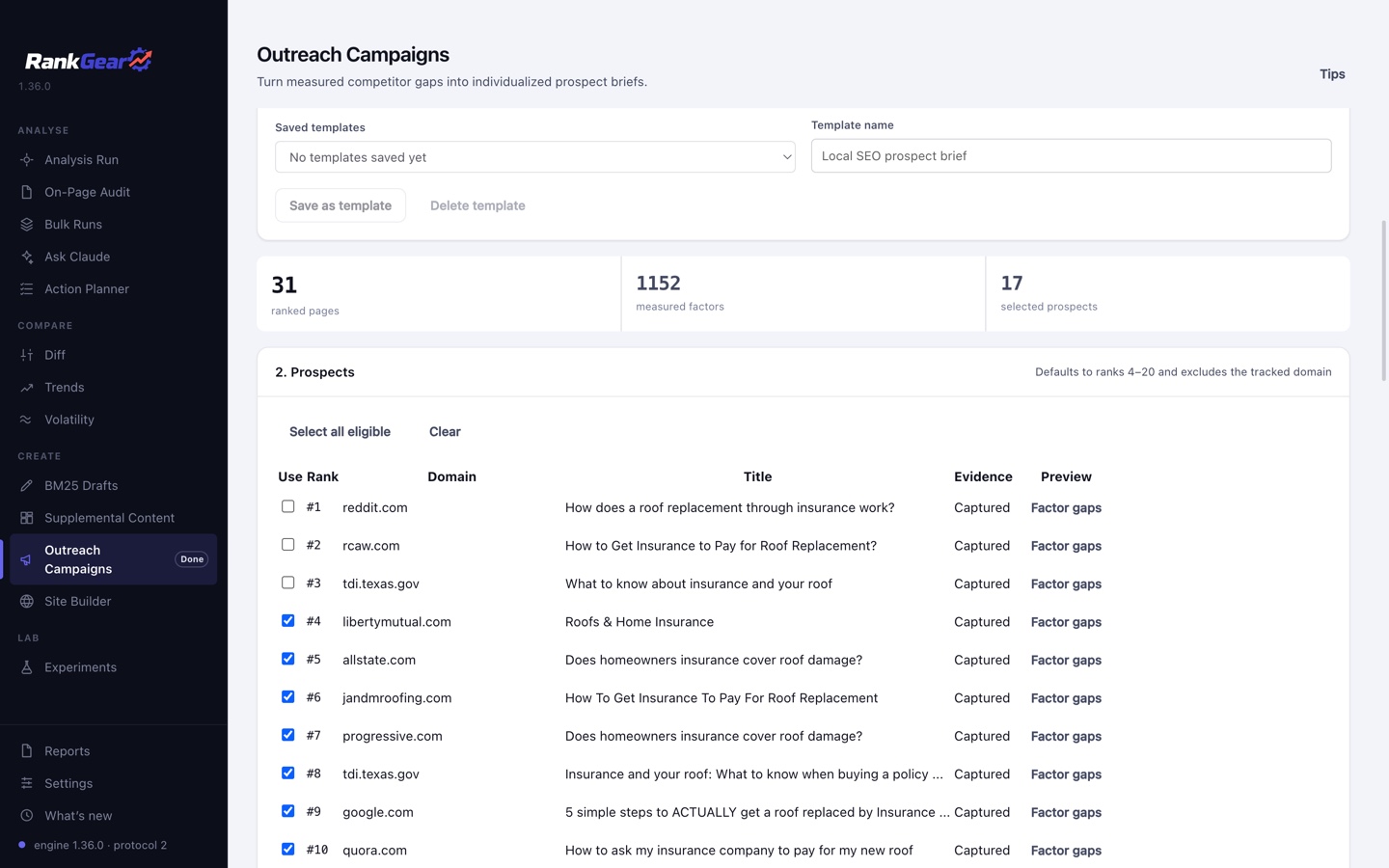
Your words, their numbers
Prospect-page copy is plain text with shortcodes, so one template writes every brief. The legacy vocabulary is intact and joined by #DOMAIN#, #TITLE#, #RANK#, #KEYWORD#, #VARIATIONS#, #LOCATION#, #SEARCH_ENGINE# and #AGENCY_NAME#, plus bounded {one|two} spintax for variety. Your text and the workbook’s values are escaped rather than interpreted as HTML.
Save the whole configuration — factors, visibility, URLs and copy — as a named template in a portable JSON library inside the campaign output folder, so the next campaign starts where the last one ended.
See the reports you get →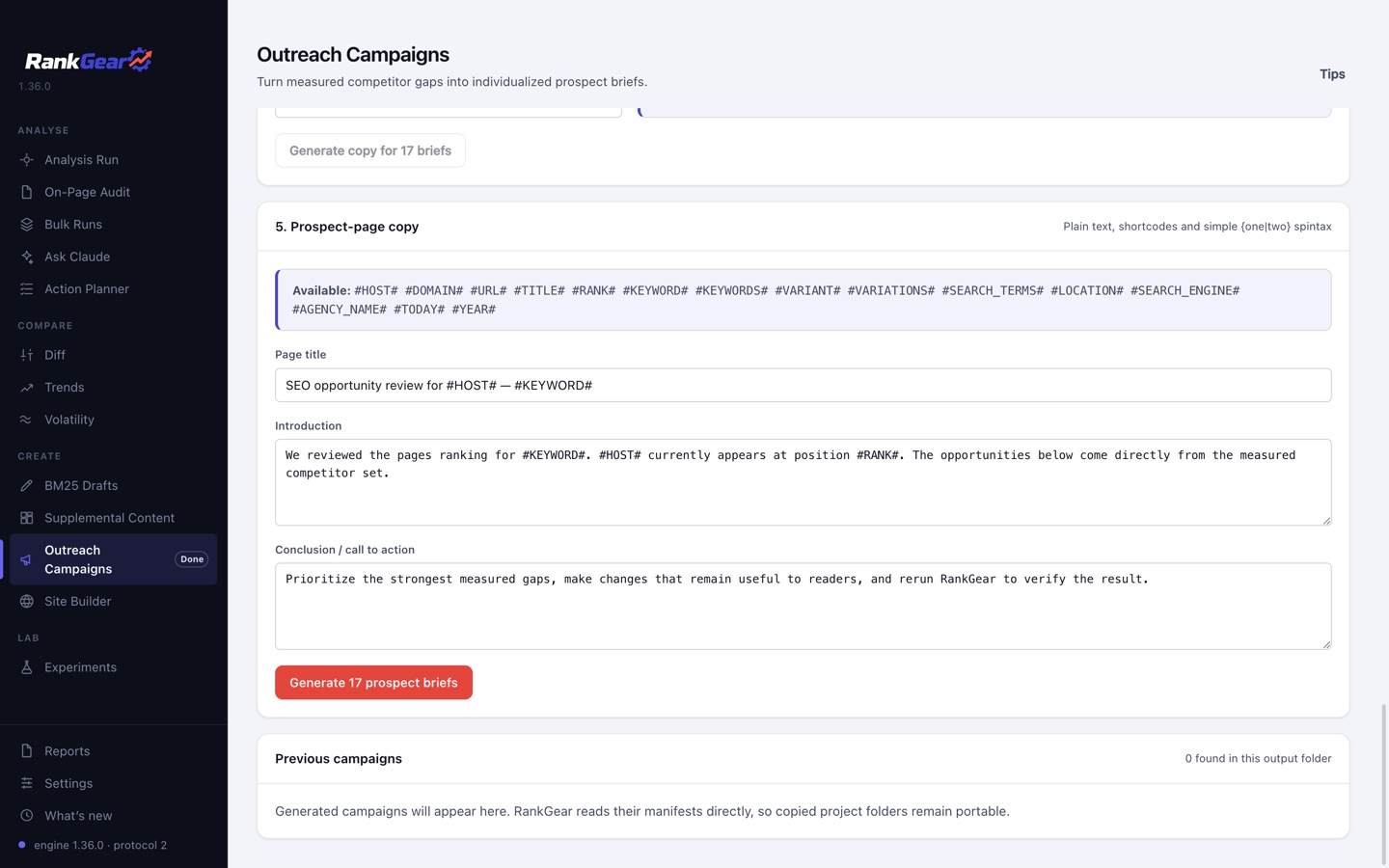
The optional AI step
Positioning copy that argues from the evidence
If you want it — and only if you press the button — Outreach sends the selected keyword, the prospect’s identity, your agency name and the exact report factors to Claude, OpenAI or Gemini in one explicit billable request, and gets back three or four editable paragraphs per prospect.
The prompt is positioning-led: use the measured differences to prompt a reconsideration of the status quo, reframe the decision around defensible criteria, then position your agency as the party that can interpret and verify that evidence. It must stay respectful and evidence-led rather than attacking a named incumbent — and it is explicitly forbidden from inventing credentials, claiming anything about a live page, asserting causation or promising rankings.
Provider, model and cost are shown before you commit. Every paragraph lands in an editable field, and the copy can be dropped globally or omitted from one brief before any report is written.
Correlation, not causation. The gaps in a brief are measured differences between a prospect’s page and the field around it. They are strong evidence that a conversation is worth having — not proof that closing them will move anyone’s rank.
Delivery
Private by default, public only when you say so
Each campaign writes a new timestamped folder with atomic file writes, so one campaign can never overwrite another. Inside is branded HTML with inline bullet charts, exact values and action guidance, a campaign index, a CSV and a versioned JSON manifest.
| Default | Public microsite | |
|---|---|---|
| Robots | noindex,nofollow | index/follow, with canonical URLs |
| Sitemap | Omitted | sitemap.xml written |
| Cross-linking | Off | Optional |
| Requires | Nothing — this is the default | Explicitly selecting Public and supplying a valid HTTP(S) base URL |
Because RankGear reads prior manifests straight out of the output folder, a copied project folder stays portable: you can reopen an old campaign’s reports, reapply its settings and selected ranks to a new revision, and leave the original untouched.
When a campaign is ready, hand the folder, title and base URL straight to Site Builder — it switches screens and scans the folder automatically. You still pick the destination and start the publish yourself; Outreach keeps no second set of credentials and no upload system of its own.
Boundaries
What it is — and isn’t
Outreach Campaigns is a reporting tool, not a sending tool. It does not run a new search, refetch a prospect’s page, look up an email address, or message anyone — RankGear never contacts a prospect on your behalf. Distribution is yours to do, in whatever channel you already use.
Everything it writes comes from measurements already in the run or workbook you chose. Where a value was never captured, the row says so instead of estimating it.
Questions, answered
Does RankGear email the prospects?
No. It generates the briefs and leaves them in a folder. RankGear never sends a prospect message, and it does not find or store contact details — how you reach out is entirely yours.
Does it rerun the search or refetch their pages?
No. It reconstructs the evidence from the retained Analysis Run or the saved workbooks you point it at, so a campaign costs no additional provider calls unless you choose the optional AI copy step.
Which prospects are included?
Every ranked URL is listed with rank, domain, title and capture status. The default selects ranks 4–20 and excludes your own tracked domain, and no row is hidden from you.
What is the difference between the two factor presets?
RankGear Recommended uses every current significant, more-is-better measured factor. Classic Outreach runs the same current calculations but limits them to the legacy Outreach factor IDs.
Are the generated reports indexable?
Not by default — they are written noindex,nofollow with no sitemap and cross-linking off. Index/follow, canonical URLs and a sitemap appear only if you explicitly choose Public mode and give a valid base URL.
Can I run a whole folder of workbooks at once?
Yes. Each workbook produces its own independent, atomic campaign, with success or failure recorded after every attempt and a batch index written — so completed campaigns survive a later failure or an interruption.
Can I reuse a campaign setup?
Yes. Factor, visibility, URL and copy settings save as named templates in a portable JSON library inside the output folder, and any previous campaign can be reopened and reapplied to a new revision without altering the original.
Send something worth reading.
Turn a run you have already paid for into an individualized, evidence-backed brief for every prospect in the field.
macOS 14+ (Apple silicon) · Windows 11 (x64/ARM64) · bring your own provider accounts