Feature · Create & deliver
Site Builder: turn a folder of reports into a branded portal
Deliverables shouldn’t be scattered files. Point Site Builder at a folder of RankGear reports and it builds a browsable intelligence hub — an index, a sitemap, and linked sections — then publishes or updates it directly over FTPS, FTP, SFTP, or SCP.
From a report folder to a real site
Choose the folder of reports you’ve generated — Analysis and Strategic summaries, content comparisons, Local Grid maps, factor documentation. Site Builder reads them, builds a clean index and sitemap, links the sections together, and applies your branding, producing a self-contained intelligence hub rather than a directory listing.
See the reports it publishes →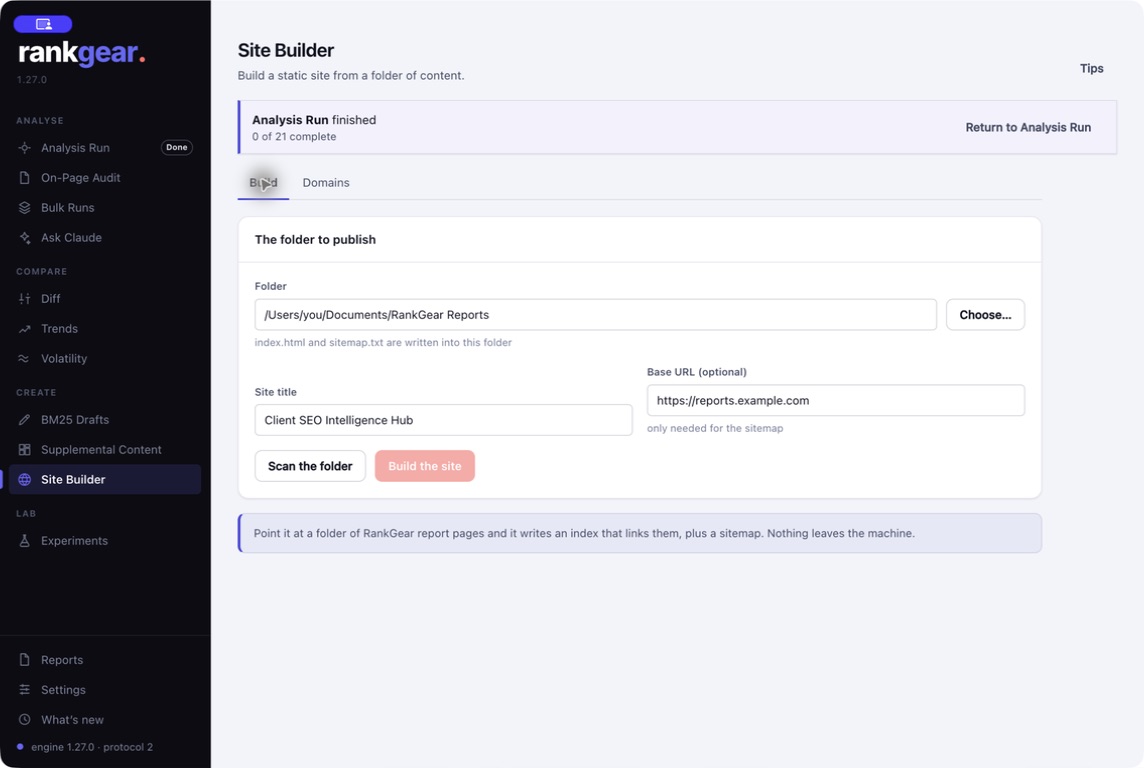
Publish or update over your own connection
Connect your server over FTPS, FTP, SFTP, or SCP — a connection-status check confirms it before anything ships, and credentials stay in the protected local store. Publish the hub, then update it as new runs land, so the client link always shows current work instead of a stale export.
How your data stays local →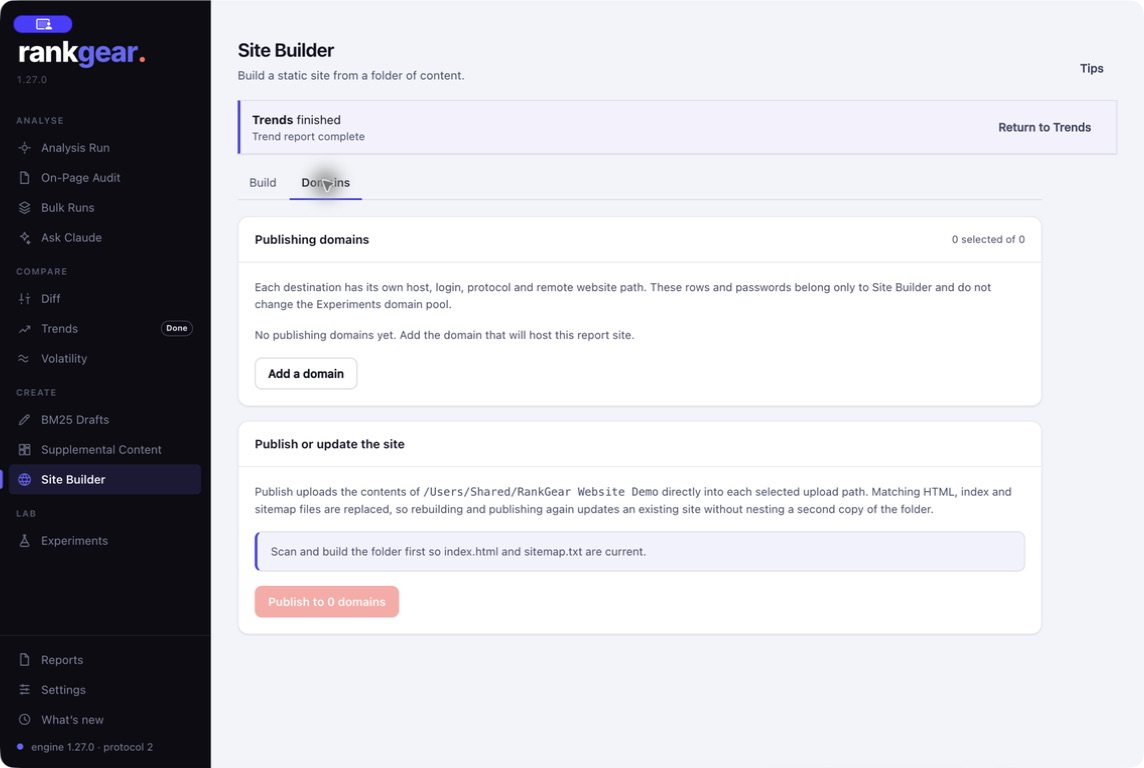
Boundaries
What it is — and isn’t
Site Builder assembles and publishes the reports you’ve already generated — it doesn’t run new analyses. Publishing uses your own hosting and credentials; RankGear builds the site and moves the files, you supply the server.
Correlation, not causation. Site Builder is a delivery tool. It packages measured reports into a browsable site — the numbers inside remain correlation-based evidence, presented, not re-graded.
Questions, answered
What goes into the site?
The HTML reports in the folder you point it at — Analysis and Strategic summaries, content comparisons, Local Grid maps, and factor documentation — assembled with an index and sitemap.
How does it publish?
Directly over FTPS, FTP, SFTP, or SCP to your own server, with a connection check first and credentials kept in the protected local store.
Can I keep the site current?
Yes — re-run Site Builder as new reports land and it updates the published hub, so the shared link never goes stale.
Is it white-labeled?
Yes. Branding applies to the hub just as it does to the individual reports, so the portal you hand a client carries your identity.
Deliver a portal, not a zip file.
Point Site Builder at your reports and publish a branded intelligence hub your client can browse.
macOS 14+ (Apple silicon) · Windows 11 (x64/ARM64) · bring your own provider accounts