
Feature · Analyse
On-Page Audit: find a page’s ranking gaps, ranked by correlation
A fast, client-ready answer for one page — scored out of 100 against the pages beating it, with a prioritized fix list, keyword and contextual density, and a Z1–Z9 Zone Architecture review of the rendered page.
Set it up for the call
You give it just enough to define the field:
- Keyword and your page, and result depth (Top 10–100).
- Country, language, and an optional Near location.
- Deficit strategy — the target gaps are measured against.
- A Zone Architecture profile for the page type, and optionally the Strategic Summary report.
No providers, no workbook, no waiting — it runs only the on-page factors, so it’s fast enough to run live while a client watches.
Need the full workbook? Run Analysis Run →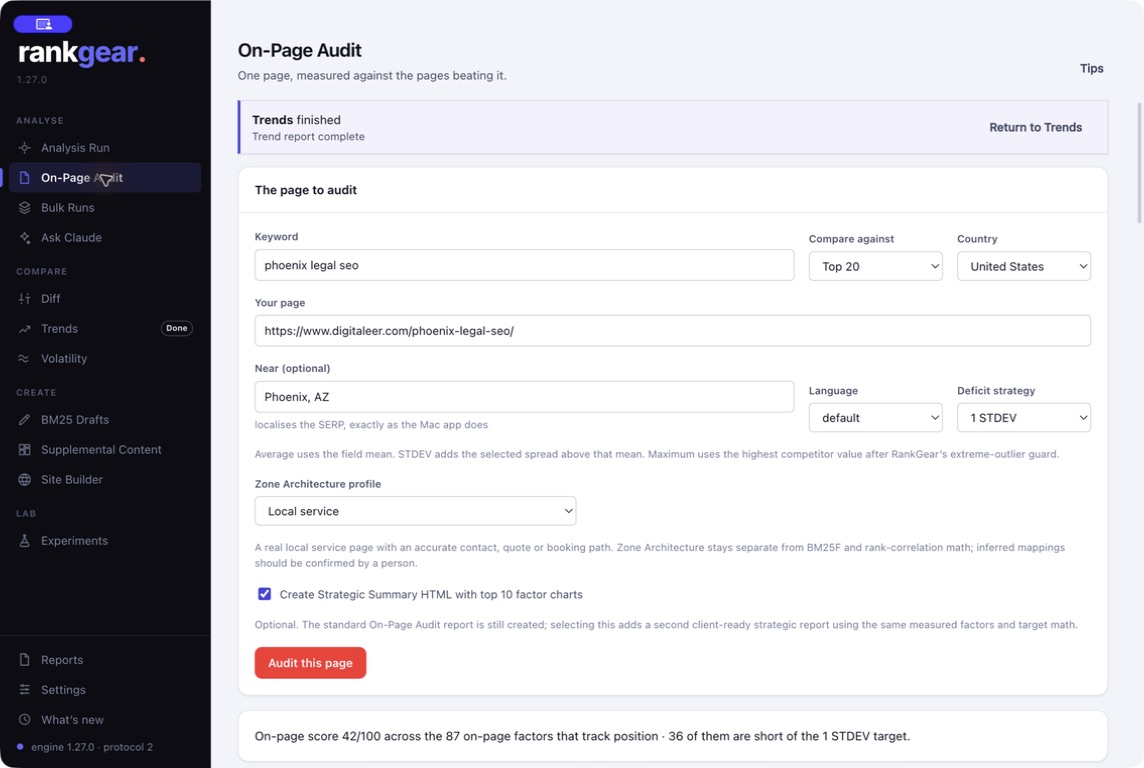
The read
A coverage score, and the fixes in order
The audit opens on a coverage score out of 100 and the single highest-impact fix, then a numbered list of priorities. Underneath sit the average and maximum diagnostics, keyword and contextual density, a content brief, and a searchable competitive factor field you can sort to see exactly where the field’s consensus is and where your page falls short.
Zone Architecture: does the page do its job?
Zone Architecture audits the rendered page against Z1–Z9 responsibilities for its type — found state, declared or inferred mapping, DOM location, an evidence excerpt, and required coverage. Choose the profile that matches the page:
- Universal
- The baseline responsibilities every page should cover.
- Local service
- A real local service page with an accurate contact, quote, or booking path.
- National service / Editorial / Ecommerce
- Profiles tuned to a national service page, an editorial or research article, or an ecommerce product.
It’s an advisory semantic review that sits beside the ranking math, never inside it — it doesn’t change BM25F, correlation, the deficit math, or the score.
See how we measure →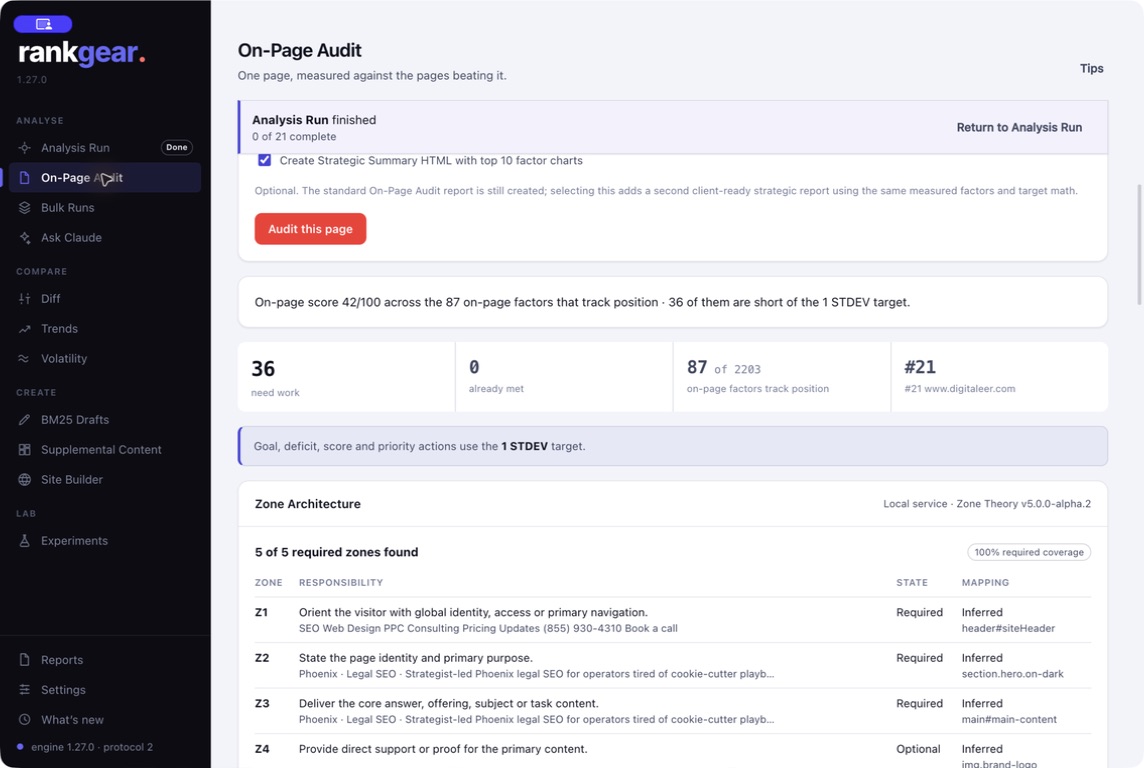
What you walk away with
A report a client can act on
Every audit produces the established branded audit HTML — the score, the fixes, the density, and the Zone Architecture evidence in one self-contained artifact. Add the optional Strategic Summary and you get a second, client-ready report with up to ten evidence-appropriate factor charts, built from the same measured factors and target math.
Which one to run
On-Page Audit or Analysis Run?
| On-Page Audit | Analysis Run | |
|---|---|---|
| Scope | On-page factors, one page | The full 870-factor catalogue, incl. off-page & entities |
| Speed | About a minute | Longer — renders the whole field and writes the workbook |
| You get | Coverage score /100, fix list, Zone Architecture | Optimization score, roadmap, and the complete workbook |
| Best for | A fast, defensible read in a client call | The deep diagnosis and the deliverable |
Boundaries
A focused tool, on purpose
On-Page Audit doesn’t run backlinks, entities, or the workbook export — that’s Analysis Run. Greater depth renders more pages, so it takes a little longer. Zone Architecture is advisory semantic inference, not a ranking factor.
Correlation, not causation. Findings reflect the current field and your selected target — they flag priority, not a promise the fix will rank you.
Questions, answered
How is this different from Analysis Run?
On-Page Audit runs only the on-page factors for a fast single-page answer; Analysis Run adds off-page, entities, and the complete workbook. Use the audit in a call, the full run for the deliverable.
What is the coverage score?
A coverage measure out of 100 — how well the page covers the on-page factors that track position in this field. Not a Google quality score or a probability of ranking.
Does Zone Architecture change my score?
No. It’s an advisory semantic review, kept separate from BM25F, correlation, the deficit math, and the score.
Can I hand it to a client?
Yes — the branded audit HTML is self-contained, and the optional Strategic Summary adds a charted, client-ready explanation.
When should I re-audit?
After you ship changes. Then use Diff to separate what you changed from how the field moved on its own.
Audit a page in about a minute.
Point RankGear at one URL and leave with a fix list you can defend.
macOS 14+ (Apple silicon) · Windows 11 (x64/ARM64) · bring your own provider accounts