
Feature · Analyse
Analysis Run: measure the ranking field for a keyword
The full competitive workflow — and the heart of RankGear. Define the field, measure your page against it across the whole factor catalogue, and leave with an optimization score, the one fix to do first, an ordered roadmap, and a complete workbook.
Define the field
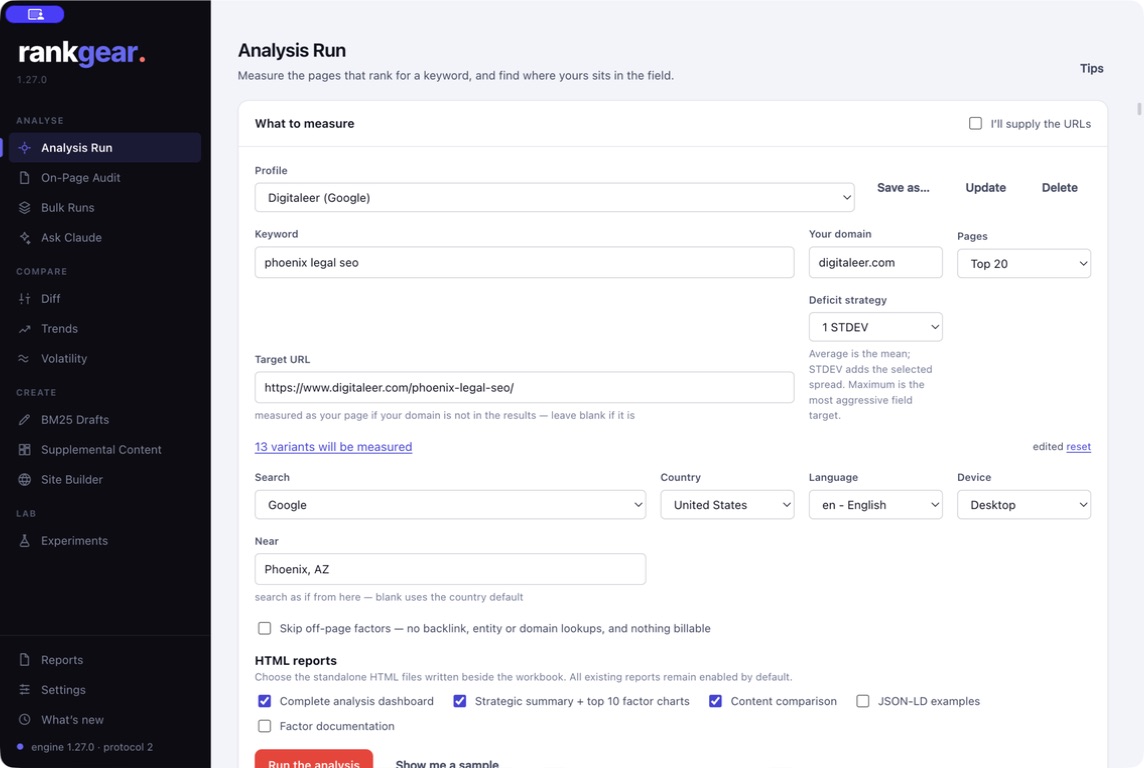
A run starts by defining the exact field you want to win — not “SEO in general,” but this query, right now. You set:
- Keyword and target — your domain or a specific Target URL. Or paste a manual ranked list and RankGear keeps your order as the rank order.
- Depth — Top 10 through Top 100.
- Localization — country, language, device, and an optional Near city or state for organic.
- Deficit strategy — the statistical target gaps are measured against (below).
- Providers & variants — optional off-page and entity sources on your own accounts, and any variant keywords to evaluate.
- Reports — which HTML companions to write beside the workbook.
The engine
Every page, measured the same way
Once the field is set, the shared engine renders each page and calculates the full 870-factor catalogue — keywords, headings, content, entities, structure, schema, media, links, technology, and authority (856 measured on a standard run). Each factor is tested for how it correlates with position across the field using Spearman and Pearson correlation, alongside competitor usage, distributions, BM25F, and topical coverage. Your tracked page is excluded from its own benchmark, so nothing is ever graded against itself.
See the full catalogue in what RankGear measures, or the method and its limits on the methodology page.
Read the dashboard top-down
The dashboard leads with the answer, not a table. At the top: your optimization score against the field (shown in degrees), the field’s average, and the Do-This-First fix — the single highest-correlation, lowest-effort change. Then the work, in order:
- Quick wins and an ordered roadmap, down to a work order you can hand to a writer or a developer.
- The competitive factor table — open any factor for its usage across the field, your value, the goal, and the deficit.
Every recommendation is one click from the evidence behind it. That’s the difference between a score you trust and a score you take on faith.
See the reports you get →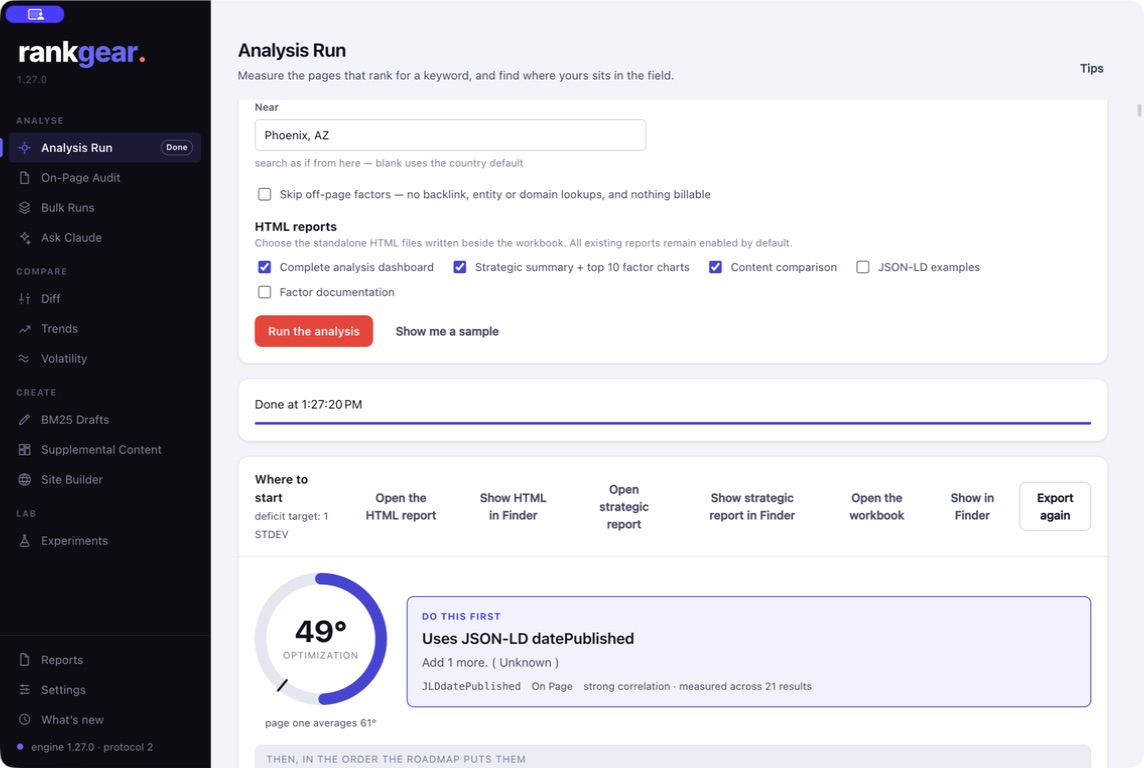
Deficit strategy
Choose the target, not the measurement
The deficit strategy is the statistical target every gap, goal, and priority is measured against — you decide how aggressive to be:
- Average
- The field mean — match what the typical ranking page does. A balanced default.
- Maximum
- The highest competitor value after RankGear’s extreme-outlier guard — an aggressive target that chases the leader.
- Mean + 1 / 1.5 / 2 STDEV
- The competitor mean plus one, one-and-a-half, or two sample standard deviations — progressively more aggressive targets that account for the field’s spread.
Correlation, not causation. The deficit strategy changes the goal and the deficit — never the measured page values. Switch it and the target moves; the underlying measurements stay exactly the same.
The workbook, and the reports you choose
Every full run writes a timestamped, color-coded XLSX workbook — tabs ordered by your workflow, opening on Start Here, with a genuine measured zero shown in red so it never hides in a wide comparison. You also pick which HTML companions to write:
- Analysis Summary — the dashboard as a self-contained, branded artifact.
- Strategic Summary — the decision layer with up to ten statistically significant factor charts.
- Content comparison, JSON-LD examples, factor documentation, and Maps companions.
Filenames carry the domain, keyword, date, and time to the millisecond, so runs never overwrite — and Branding white-labels the header and footer for clients.
Explore reports & workbooks →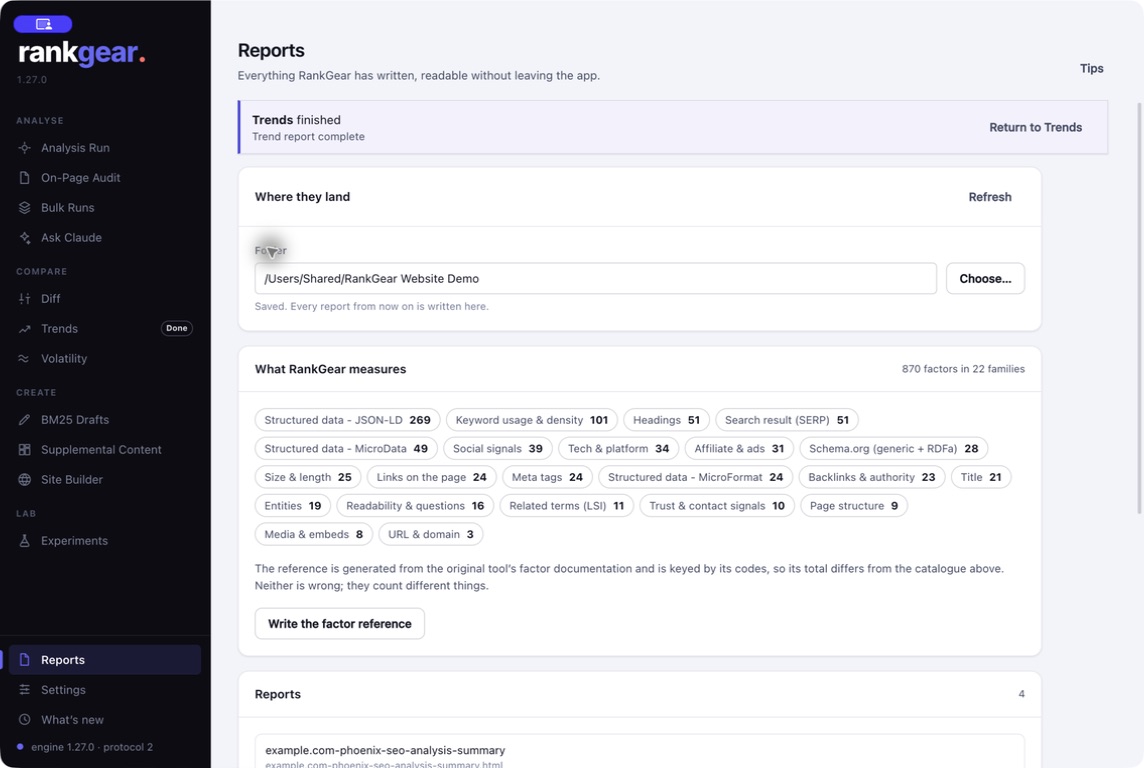
Flexibility
Organic, Maps, or your own list
Google organic
Fetch the live top results for your query at your chosen depth and localization — the default field.
Google Maps
Analyse the local field instead — or run the coordinate Local Grid for block-by-block visibility.
A manual ranked list
Paste your own ordered URLs; RankGear treats the order as rank order and appends your Target URL once without moving the ranks.
Boundaries
What it is — and isn’t
Off-page and entity results depend on your saved providers. Top 100 takes longer than Top 10 — more pages to fetch and render. Some pages stay unreadable after a retry, and you can paste rendered HTML for any page RankGear can’t fetch. Variant keywords and off-page providers are optional add-ons, not requirements.
Correlation, not causation. Analysis Run reflects the current field and your chosen target. It shows what correlates with position on this SERP — a reason to prioritize a change, not a guarantee it will rank.
Questions, answered
Can I analyze my own list of URLs?
Yes. Manual mode keeps your pasted order as the rank order and uses your target domain or URL to identify your page; if needed, RankGear appends the Target URL once without moving the pasted ranks.
What is the optimization score?
How much of the supported deficit your page has closed against the field and your chosen strategy, shown in degrees. It is a coverage measure — not a Google quality score or a probability of ranking.
How deep can it go?
Top 10 through Top 100. Greater depth means more pages to render, so it takes longer; some providers page results internally while others can return a true Top 100 in one request.
Can I hand the output to a client?
Yes. The Analysis Summary and Strategic Summary are branded HTML you can white-label, and the workbook is a shareable record with the exact source URLs behind every number.
What happens when a page is slow or blocked?
Empty hard-timeout or provisional-load failures get one longer safety attempt; other failures stay rank-aligned while the run continues, and you can supply rendered HTML manually for a page RankGear can’t fetch.
Does it support local search?
Yes — organic analysis takes a Near city or state. For coordinate-level Maps visibility, use the Local Grid on the Local SEO page.
Read your field.
Point Analysis Run at a keyword and a page, and leave with the evidence and the plan.
macOS 14+ (Apple silicon) · Windows 11 (x64/ARM64) · bring your own provider accounts